Armbian flashing tool

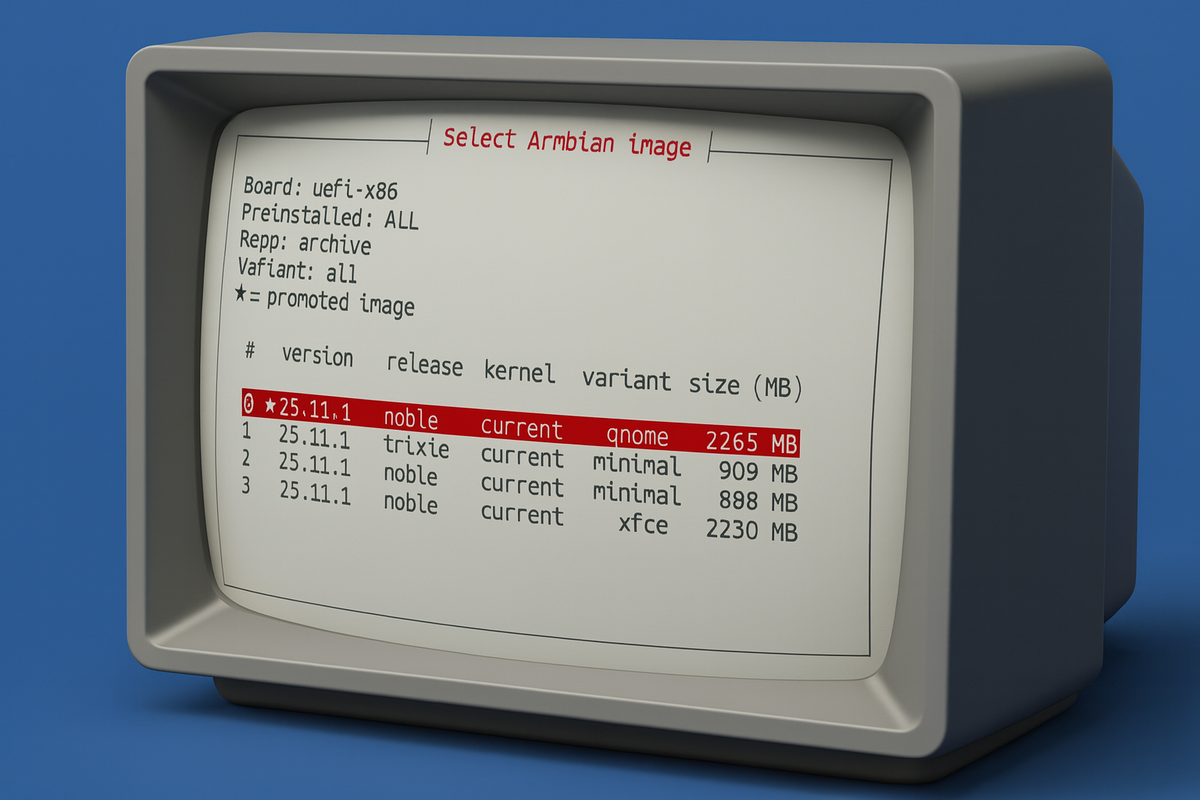
We’ve added a powerful new Image Flashing Tool to Armbian! You can now browse, download, and flash Armbian images directly to your device’s internal storage or boot media - no external tools required. Everything happens seamlessly inside armbian-config, making installation and re-installation faster, safer, and easier than ever.
Key features
Module pulls data from the official download infrastructure JSON stream and uses simple and robust components to provide a seamless "search & flash" experience.
1. Interactive image browser
Finding the right image is now significantly easier. Forget about slow web browsing. The tool includes a robust filtering system that allows users to select images based on:
- Kernel branch: choose between different kernel branches (legacy, current, edge).
- Image variant: select specific desktop environments, server or minimal builds.
- Stability: a specific "stability" filter allows users to toggle production-ready or daily builds.
- Preinstalled applications: filter for specific software stacks.
UX enhancements:
- Promoted builds: recommended images are highlighted with a star (★).
- File size: image sizes are clearly displayed in MB.
2. Enhanced Safety Measures
Flashing operating systems always carries a risk of data loss if the wrong drive is selected. This update introduces critical safety checks:
- System drive protection: The tool automatically hides any disk that contains active system partitions (e.g.,
/,/boot, or/boot/efi).
3. Improved Download Experience
The download and flash process has been polished to deliver clearer progress information and a smoother workflow.
- Automatic fast mirror selection: The tool intelligently selects the fastest available Armbian download mirror to ensure optimal throughput and minimal latency.
- Accurate progress bars: Leveraging pv (Pipe Viewer), the flashing workflow provides precise, real-time progress indicators for both download and write operations.
- Graceful fallback: If pv is not available on the system, the tool automatically falls back to curl’s native progress meter, preserving usability without compromising reliability.
How to use?
New functionality has been added to armbian-config and armbian-install CLI tools.
armbian-config --cmd FLASH1